
How do I access my online account?
Accessing your Bamboo Insurance online account is quick and easy. Just follow these steps:
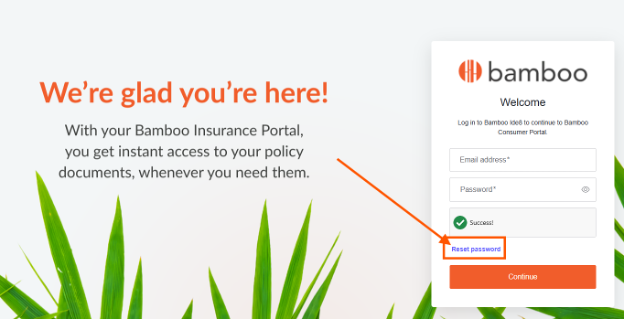
- Visit my.bambooinsurance.com.
- Click "Reset password"
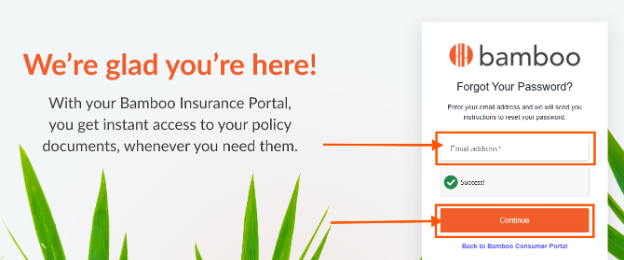
- Enter the requested details.
-
Create your new password. You'll receive an automated email with instructions to reset your password. Once that's done, you can log in using your newly created password.
Need an extra hand?
If you run into any issues or have questions along the way, we're here to help. Reach out to our Customer Service team:
- Phone: (833) 922-6266
- Email: customerservice@bambooinsurance.com
Related articles: