
This article is intended for producer partners only. This is not intended for policyholder or consumers.
Meet the Bamboo Insurance Producer Chatbot
We built our product chatbot to make your experience with Bamboo Insurance easier.
Where can I find the chatbot?
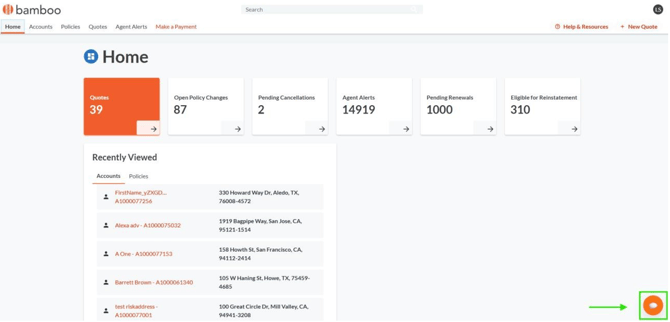
You can access the product chatbot anytime from the Agent Portal. Just look for the chat icon in the bottom-right corner of the screen.
Open the chat and type your question or request.
What can the chatbot help with?
The chatbot can help with many of the tasks and questions you handle every day, including:
- Agent requests: Submit requests for cancellations, endorsements, and effective-date changes.
- Mortgagee updates: Update a mortgagee or lender through our form.
- Policy lookups: Get coverage details, effective dates, deductibles, and other live PolicyCenter data.
- Document requests: Request documents such as a declarations page (dec page), ID card, evidence of insurance (EOI), billing statement, or policy jacket.
- Claims: Get contact information and the phone number for the claims team.
- Payments: Make a payment.
- New business: Get a quote or purchase a new policy.
- General questions: Get answers about products, underwriting, and processes using information from our knowledge base.
Not sure what to ask?
Start with:
“What can you do?”
The chatbot will show you a list of its capabilities so you can see how it can help.
Helpful prompts
Here are a few prompts to get you started:
- “What can you do?” — See a list of the chatbot’s capabilities.
- “Can you pull documents for [policy number]?” — Request documents for a specific policy.
- “What are the guidelines for [topic]?” — Ask questions about guidelines, underwriting, or processes. Be as specific as possible to get the most helpful answer.
You can also ask follow-up questions or provide additional details as you chat.
Tips for getting the best results
- Be specific. The more detail you provide, the better the chatbot can understand what you need.
- Include the policy number when relevant. This can help the chatbot find the right policy information or documents.
- Ask in your own words. You don't need to use a specific format or exact wording.
- Use “What can you do?” anytime you're unsure. The chatbot can point you toward the tasks it supports.
The chatbot is another way we're working to make doing business with Bamboo Insurance simple and convenient. Give it a try the next time you need a quick answer, policy information, a document, or help with a common request.